Video Player All Format
- 4.8
- Rating
- 100.00M
- Installs
- Free
- Price

 Analysis by App-foxy
Video Player All Format is the kind of Android app I reach for when the default player feels too limited. Developed by InShot Inc., it sits in the video players and editors category, but its practical appeal is straightforward: it gives me a central place to open videos, listen to audio, cast compatible content, and handle files in several common formats. I tested it with the mindset of an everyday user rather than a filmmaker, and that distinction matters. This is mainly a convenient playback tool, not a replacement for a full editing suite.
The first impression is positive because the app is easy to understand. I do not have to spend much time learning a complicated timeline or a collection of professional controls before watching something. The free download makes it approachable, while optional in-app purchases ranging from $0.99 to $9.99 per item leave room for extra paid functions or a less restricted experience. I would still treat it as a utility to evaluate in normal use rather than assuming every advertised capability will suit every phone equally well.
How Video Player All Format feels in everyday use
I find the most reassuring way to judge Video Player All Format is to begin with one ordinary file, rather than trying every feature at once. In this section, I’ll focus on how the app fits into a day-to-day routine and what makes it feel useful beyond simply opening a video. A small first test also helps me spot whether my phone and media habits are a good match before I rely on it for more.
You May Also Like

 Blood Strike: 2.5 Anniversary
Blood Strike’s Loadouts Turn Every Drop Into a Tactical Gamble
A close look at Blood Strike’s custom loadouts: how fast access to signature weapons reshapes its battle royale rhythm, rewards preparation, and narrows the gap between fights.

 Pandora - Music & Podcasts
Pandora’s Music Is Easy to Start, but Harder to Recover
Pandora’s strength is its low-effort path from a seed to a station. Its weak spot is how much confidence it asks you to place in connection, setup, and quiet recovery.

 8 Ball Pool
 Is Built on Rivalries, Rematches, and Routine
A close look at the rivalries, rematches, shared routines, and unanswered safety questions that turn a quick pool match into a persistent mobile community.

 Samsung Music
’s Quiet Strength Is Playing What You Already Own
Its reach comes less from spectacle than from dependable access to a personal library. That simplicity is both the app’s strongest retention engine and its ceiling.

 AccuWeather: Weather Radar
AccuWeather Review: A Quick, Clear Forecast for Everyday Decisions
For everyday plans, the best forecast is the one you can understand quickly. AccuWeather makes rain timing, radar, and local conditions easy to act on, with a few trade-offs.

 Hill Climb Racing
Why Hill Climb Racing Still Turns Crashes Into One More Run
A tiny car, a bumpy hill and one more upgrade: Hill Climb Racing keeps resurfacing because its simple chaos makes every near-miss feel personal.
More From Our News Desk



Speed expectations when opening and switching videos
For a player like this, speed is less about flashy animation and more about how quickly I can get from a file to playback. The useful workflow is simple: open the app, locate a clip, tap it, and continue watching. That makes it a better fit than a heavily featured editor when I only want to review a downloaded video, check a recording, or play a local movie without first importing it into another project.
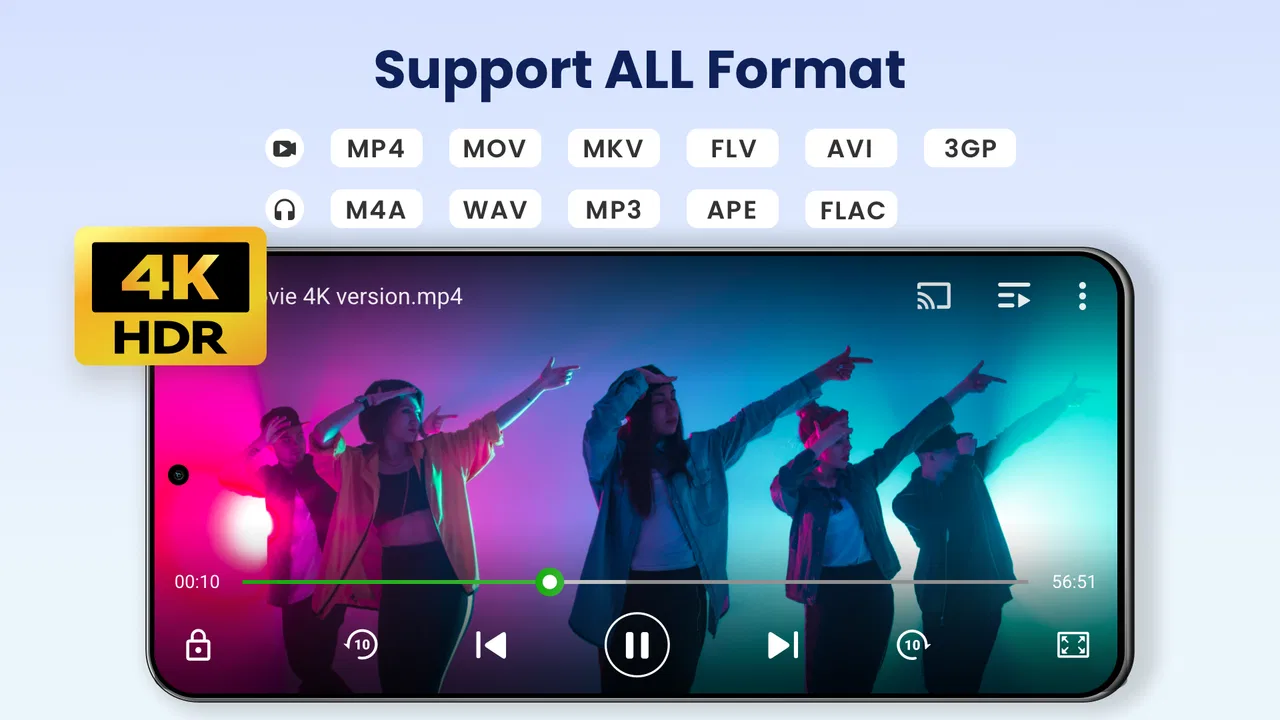
The app supports high-definition and 4K playback in its store positioning, but I would not interpret that as a promise that every older handset will handle every large file perfectly. Resolution is only one part of the experience. Codec, file size, storage speed, available memory, and the phone's hardware all influence whether playback feels smooth. On a recent device, demanding files are more likely to feel comfortable; on an entry-level or aging phone, a smaller version of the same video may be the wiser choice.
One practical habit improves the experience: I keep the phone's storage reasonably organized before opening the app. A player can feel slow when the real problem is a crowded device, a very large folder, or a file stored somewhere that takes longer to access. I also avoid judging performance from the first seconds after a phone has just been overloaded with other apps. Closing an unnecessary background task can make a noticeable difference without changing anything inside the player.
Compared with a basic system player, this app feels more useful when my files come from different sources. The default option may be perfectly adequate for a camera recording, but it can be less convenient when I move between downloaded clips, music, and videos shared from another device. Compared with a specialist media player, Video Player All Format is more approachable, although users who want deep codec controls or highly technical playback settings may prefer a more configurable alternative.
What happens during heavier playback sessions
The demanding moments are easy to identify. Long high-resolution videos, repeated seeking, casting to a larger screen, and switching quickly between video and audio all ask more from the phone than simply watching a short clip. In those situations, I pay attention not just to whether the file opens, but also to whether seeking remains comfortable and whether the phone becomes warm or starts limiting other tasks.
Support for 4K and HD is valuable when I already own high-quality files, but it should be used sensibly. If a video is intended for a small phone screen, a lower-resolution copy may look almost as good while using less storage and placing less pressure on the device. I would reserve the largest files for situations where the bigger image actually matters, such as reviewing camera footage or watching on a television through Chromecast.
Chromecast support is one of the more useful additions for a living-room routine. I can imagine downloading a film or recording, checking that it plays locally, and then sending it to a larger screen instead of transferring the file again. The trade-off is that casting adds another point of dependence: the phone, player, receiver, and network must cooperate. If playback is unstable while casting, I first check the local file and network before blaming the app, because a smooth local stream does not automatically guarantee a smooth cast.
Audio use also changes the workload. The built-in MP3 player angle makes sense for people who keep music or spoken recordings on the phone and do not want a separate application for every media type. I find that convenient for occasional listening, especially when moving from a video to an audio file. It is less compelling for someone who relies on elaborate music-library management, subscription discovery, playlists shared across devices, or advanced audio organization. In that case, a dedicated music service or audio player remains the better tool.
Reliability and recovering from interruptions
A media player earns trust through recovery. Phones interrupt playback constantly: a call arrives, the screen locks, another app takes focus, or the user leaves the player and comes back later. My expectation is not that every interruption will be invisible, but that returning to the app should be uncomplicated. A straightforward interface helps here because I can identify the file again without navigating through a maze of menus.
I also recommend keeping original files intact when using any general-purpose player. If a video behaves strangely, having a second copy or a known-good version makes troubleshooting much easier. A file that was incompletely downloaded, damaged during transfer, or encoded in an unusual way can fail in one player and work in another. That is not necessarily a weakness unique to this app, but it is an important distinction before deciding that the application itself is unreliable.
For ordinary viewing, I see the strongest reliability case in short and medium-length local files. A quick recording, a clip received from a friend, or an offline video is easy to test and easy to reopen. Longer sessions deserve more caution on modest hardware. If the phone is already close to its storage or memory limits, I would avoid running several demanding apps at once and would keep the device connected to a stable power source for extended viewing.
The app's popularity gives me some confidence that it is not an obscure experiment. It has an average rating of 4.8 from around 1.9 million ratings, with roughly 34 thousand written reviews and over 100 million installs. Those figures suggest broad adoption, but they are not a guarantee that every phone, file, or casting setup will behave identically. I treat them as a reason to try it, not as a substitute for testing my own media library.
Device constraints that matter more than the feature list
Video Player All Format runs on Android 7.0 and later, which covers a wide range of phones but still excludes older devices. That minimum requirement is worth checking before planning to use it on an aging handset or a spare tablet. Compatibility with the operating system is only the first filter; hardware decoding ability, free storage, and the quality of the display can matter just as much during real playback.
On a newer phone, the app is likely to make more sense as an all-purpose media hub. On a basic device, I would be more selective. I would keep the number of open apps low, use sensible file resolutions, and avoid expecting effortless 4K playback while multitasking. If the phone becomes hot, drains quickly, or struggles with other tasks, reducing playback demands is more practical than insisting on the largest available file.
Storage deserves special attention because video files grow quickly. A player can open a file without editing it, but that does not make large collections cost-free. I would remove duplicate downloads, keep important recordings backed up elsewhere, and avoid filling the final portion of the phone's storage. This is one of the less obvious ways to preserve a responsive experience: the app cannot compensate for a device that has no room left to work comfortably.
Privacy-conscious users should also form their own comfort level around any media application that handles personal recordings. I would be especially careful with private videos, work footage, or family material, and I would review the app's current permissions and privacy information before making it the default place for sensitive files. The useful features do not remove the need for ordinary digital housekeeping.
Where it fits beside the usual alternatives
The default Android player remains the simplest option if I only watch camera clips and do not need a broader media library. It usually has the advantage of being familiar and deeply integrated with the phone. Video Player All Format becomes more attractive when I want one app for videos and MP3 files, when I regularly open files from different sources, or when Chromecast is part of my routine.
A dedicated advanced media player may be a better choice for someone who understands codecs, subtitles, audio tracks, playback filters, network libraries, and detailed decoding options. That kind of app can offer greater control, but it may also feel unnecessarily technical for a person who simply wants to tap a file and watch. I prefer this app's more accessible direction for casual and mixed media use, while I would choose the specialist option for troubleshooting unusual files or building a carefully managed media server setup.
An editing app is another different category altogether. Although the developer is InShot Inc., I would not confuse this player with a full editor. If my goal is trimming footage, layering music, adding text, or producing a polished social video, I need an editing-focused application. This one is better for checking the source material before editing or reviewing the finished export afterward.
Who will get the most from it
I think the app is a good match for people who keep a mixture of downloaded videos, personal recordings, and audio files on an Android phone. It is also useful for households that occasionally cast local content to a larger screen and want to avoid juggling several basic players. The Everyone content rating makes it approachable for a broad audience, although parents should still apply their own judgment to the files being opened.
A realistic example would be a commuter who saves a few videos before leaving home, watches one during a trip, listens to an MP3 afterward, and later casts the same collection at home. That person benefits from having playback, audio access, and casting close together. The app is less valuable to someone whose entire media life is inside one streaming service, because a separate local player may add little to that routine.
I would also recommend it to someone who wants a quick way to inspect footage before sending it to an editor or cloud storage. A useful workflow is to review the file at normal speed first, jump through key sections, and only then decide whether it is worth transferring or editing. This saves time and storage when several similar recordings are sitting on the phone.
I would skip it if I need professional video production tools, a sophisticated music catalog, or guaranteed performance for unusually demanding media on weak hardware. I would also look elsewhere if my priority is a highly controlled playback environment with extensive technical settings. The app's strength is convenience across everyday formats, not specialist depth in every direction.
Pricing, maintenance, and the practical decision
The app is free to download, which makes testing it with my own files a sensible first step. Optional purchases from $0.99 to $9.99 per item mean I would inspect exactly what each upgrade changes before paying. I do not assume that a paid option is necessary for basic playback; I would first confirm that the free experience handles the formats and workflow I actually use.
The current version is 2.5.0.4, and the app was released on February 10, 2017. The long presence on Android helps explain why it feels like an established utility rather than a brand-new experiment. Still, I would keep expectations realistic around updates and compatibility over time: Android devices, codecs, casting hardware, and file sources change, so an app that works well today should be checked again after major changes to my phone or media setup.
My overall view is favorable, with a clear boundary. Video Player All Format is most convincing as a convenient everyday playback app, not as a universal solution for every media problem. It brings together video, MP3 listening, high-resolution playback, and Chromecast in a way that can reduce app switching. Its real performance depends heavily on the phone and the files, so I would not choose it solely because a demanding video is labeled 4K.
After using it, I would recommend starting with a small test: open a normal local video, try one larger file, play an MP3, and test casting only if that matters to you. That quick routine answers the questions that matter most—speed, stability, device load, and recovery—without committing money or reorganizing an entire library. For a reader wanting a friendly, broad video player for Android, this is a sensible choice. For advanced playback control or serious editing, a more specialized tool will be a better investment.
FAQs for Video Player All Format
01What video formats does Video Player All Format support?
Video Player All Format supports a wide range of video formats, including MP4, AVI, MKV, MOV, and more. This ensures that you can play almost any video file without needing to convert formats. The app's versatility in handling various file types makes it a convenient choice for users with diverse media collections.
02Is Video Player All Format free to use?
Yes, Video Player All Format is free to download and use. However, it may offer in-app purchases or ads to support its development. These optional purchases typically enhance the user experience by adding additional features or removing advertisements, but the core functionalities remain accessible without payment.
03Does Video Player All Format support subtitles?
Yes, the app provides robust support for subtitles. It allows users to load subtitles in various formats such as SRT, SSA, and ASS. Additionally, users can customize subtitle appearance, including font size and color, to ensure a comfortable viewing experience. This feature is especially useful for non-native speakers or those watching foreign films.
04Can Video Player All Format stream videos from network sources?
Video Player All Format can stream videos from various network sources, including DLNA/UPnP and SMB. This feature allows you to access and play videos stored on other devices connected to the same network, making it easy to enjoy your media library without transferring files to your device.
05What are the main advantages of using Video Player All Format?
The main advantages of Video Player All Format include its extensive format support, user-friendly interface, and advanced features like subtitle customization and network streaming. Additionally, the app is lightweight and efficient, ensuring smooth playback even on devices with limited resources. These features collectively offer a comprehensive video playback solution for users.
Pros
- Supports a wide range of video formats.
- High-quality playback with no lag.
- User-friendly interface design.
- Customizable playback settings.
- Offline viewing capability.
Cons
- Contains in-app ads.
- Limited free features.
- Occasional crashes reported.
- Resource-intensive on older devices.
- No cloud integration.

Video Player All Format
Gallery